Customer Account Blocks logo

Customer Account Blocks Shopify App: Pricing, Features & First-Adopter Watch

Content - Other

Updated June 4, 2026

New

5 (1 reviews)

By Stack Craft Digital

Launched May 7, 2026. Shoplist is monitoring first merchant evidence, reviews, pricing, feature details, and listing changes for this Shopify app.

Shoplist public signals

What is visible for Customer Account Blocks right now

Signal date June 4, 2026

Monitoring status

First-adopter watch

Monitoring first merchant evidence

As of Jun 4, 2026

Reviews

1 public reviews

5.0 average rating

As of May 16, 2026

Momentum

4 New

Install trend held steady over the last 28 days

As of Jun 13, 2026

Latest review

May 16, 2026

As of May 16, 2026

New5% confidence

4 momentum score

Install trend held steady over the latest 28-day window.

Updated Jun 13, 2026

0 installs

Momentum inputs

28d installs

0

Prev. 28d

0

New 28d

0

30d reviews

1

Installs
0
Growth
50
Adoption
0
Reviews
20
Fit
78

Quick answer

Customer Account Blocks launched on May 7, 2026. Shoplist is monitoring first public merchant evidence, reviews, pricing changes, and listing changes.

Reviews and velocity

Public review signals

Rating

5.0

Reviews

1

Latest

May 16, 2026

Pricing

Pricing and plan posture

Free

Free
  • Community support
  • Up to 5 blocks

Starter

$9
  • 14-day free trial
  • All standard condition types
  • Email support
  • Up to 20 blocks

Growth

$19
  • 14-day free trial
  • Analytics & insights
  • B2B support for Shopify Plus
  • Priority support

Activity and changes

Recent signals for Customer Account Blocks

Recent detections and listing changes are public signals captured by crawl history.

App Store listing

Listing changes

4 updates

Detected Jun 4, 2026

App name changed +4 more

Positioning

App name changed

Account Blocks: Make it yoursCustomer Account Blocks

App icon changed

Previous app iconNew app icon

Description rewritten

Your Turn Shopify customer accounts into a personalised retention and support hub. Add targeted account page is prime real estate — every logged-in shopper lands there. Account Blocks lets you fill it with the messages, blocks for offers, FAQs, reorder CTAs, VIP messages, B2B/wholesale notices, and links that actually move support links. Show the needle. Build right content blocks once, then control exactly who sees them and where. Welcome new customers, surface a VIP-only discount, highlight by customer tag, spend, order count, country, B2B pricing for wholesale accounts, push reorder CTAs to repeat buyers, company, or show a support link only on shipped orders. order status. No code, no code or theme edits.

+2 more changes in this update

Detected Jun 1, 2026

Free trial +5 more

Pricing

Free trial

YesNo

Media gallery updated

2 added, 2 removed — “Customize customer account pages”

Starter plan features updated

14-day free trial

+3 more changes in this update

Detected May 16, 2026

Description rewritten +1 more

Positioning

Description rewritten

Customize Your customer account pages by adding flexible page is prime real estate — every logged-in shopper lands there. Account Blocks lets you fill it with the messages, offers, and links that actually move the needle. Build content blocks. Control where blocks appear and once, then control exactly who sees them using simple conditions. Create messages, links, or promotions and display them on order and profile pages. Track impressions and clicks where. Welcome new customers, surface a VIP-only discount, highlight B2B pricing for wholesale accounts, push reorder CTAs to understand engagement. Manage all blocks from repeat buyers, or show a single dashboard.support link only on shipped orders. No code, no theme edits.

Callouts updated

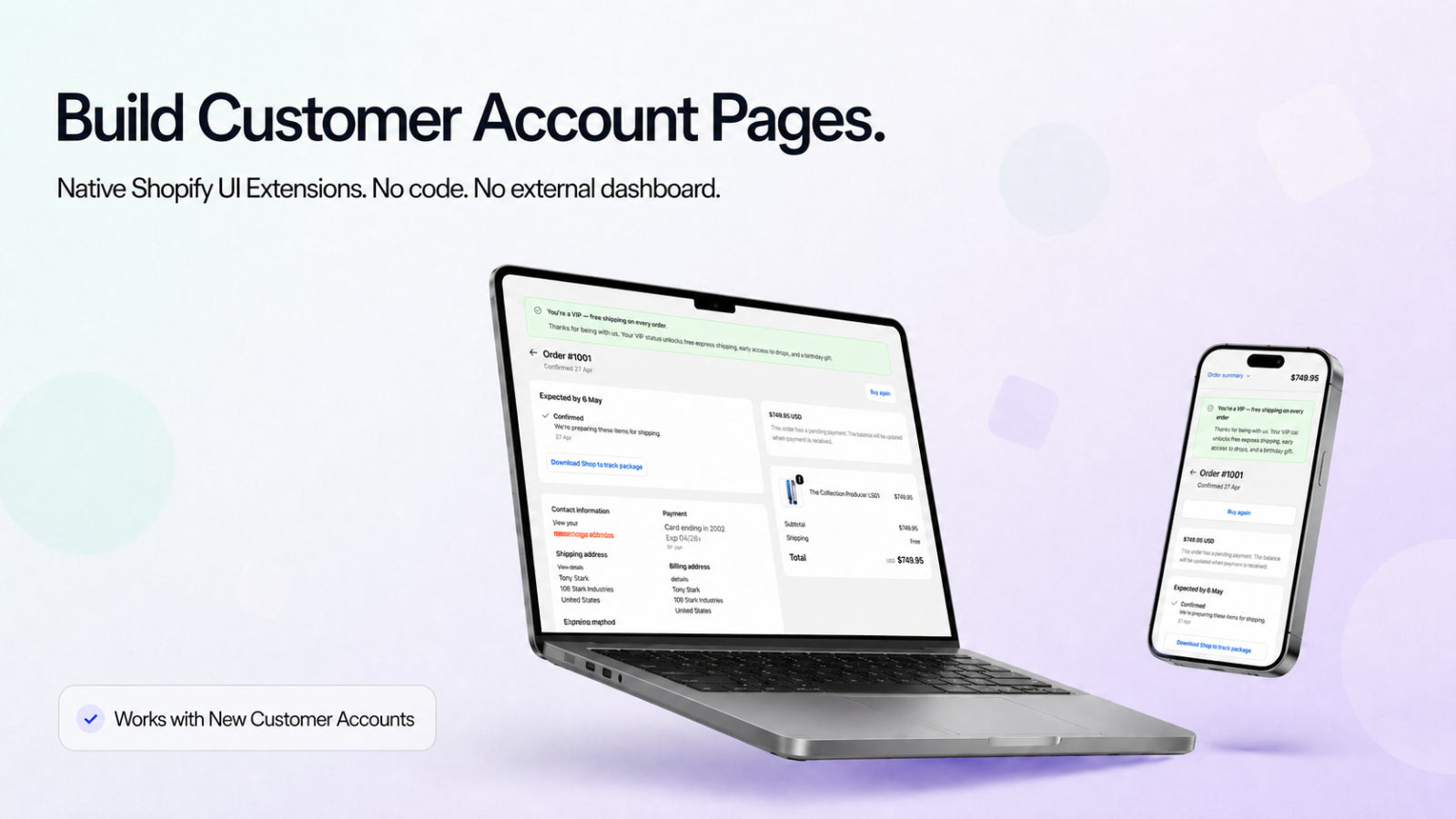
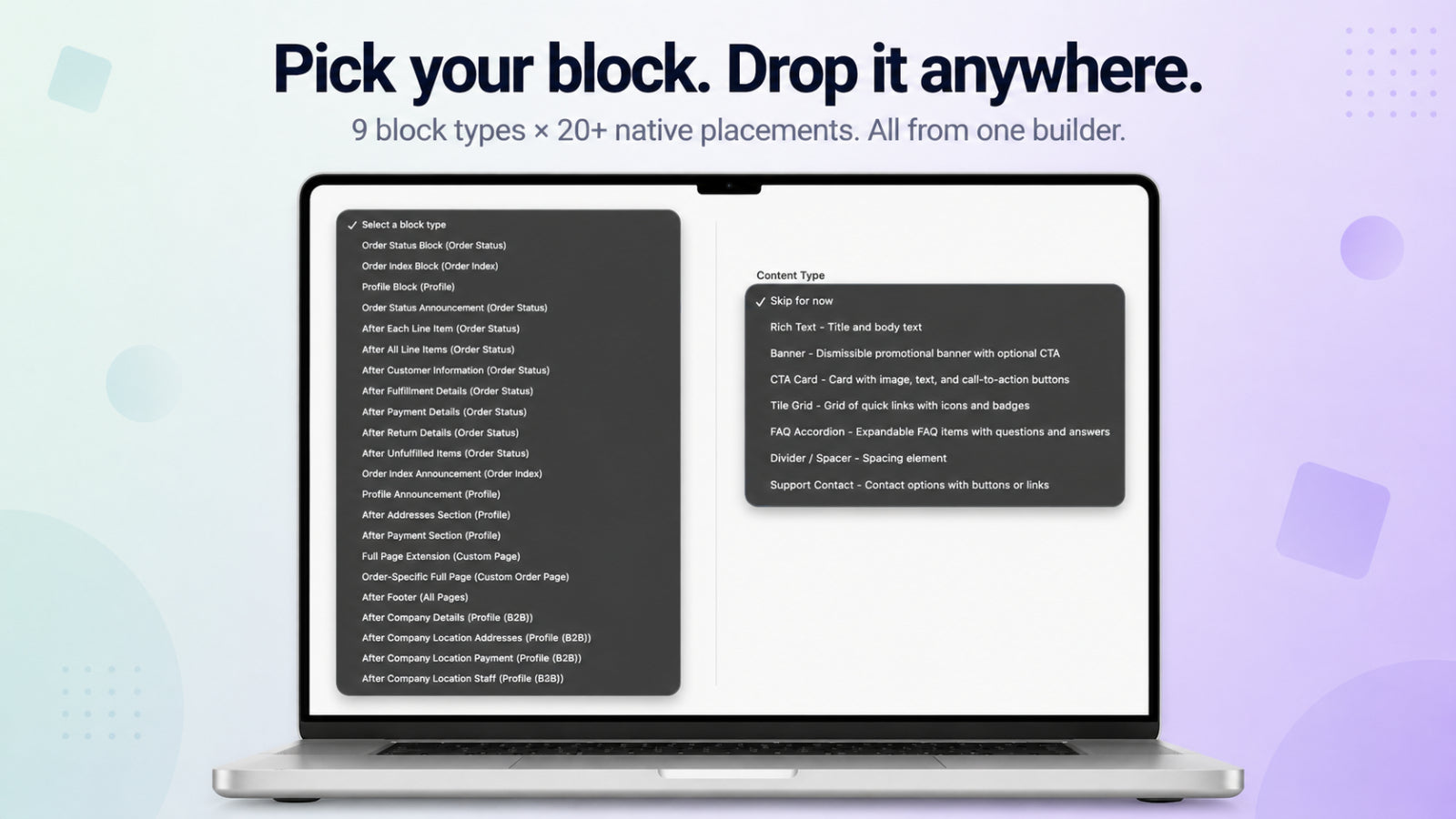
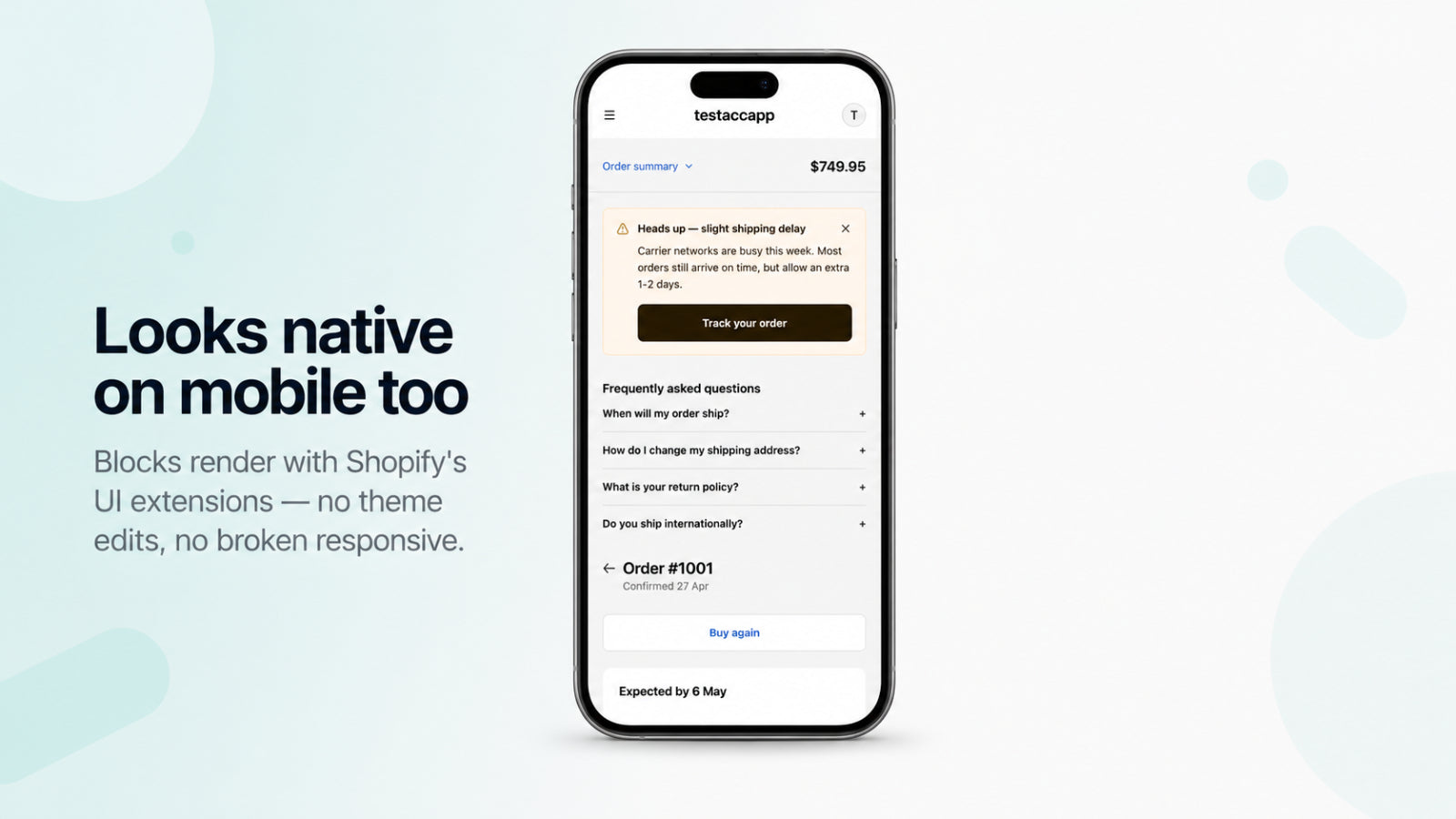
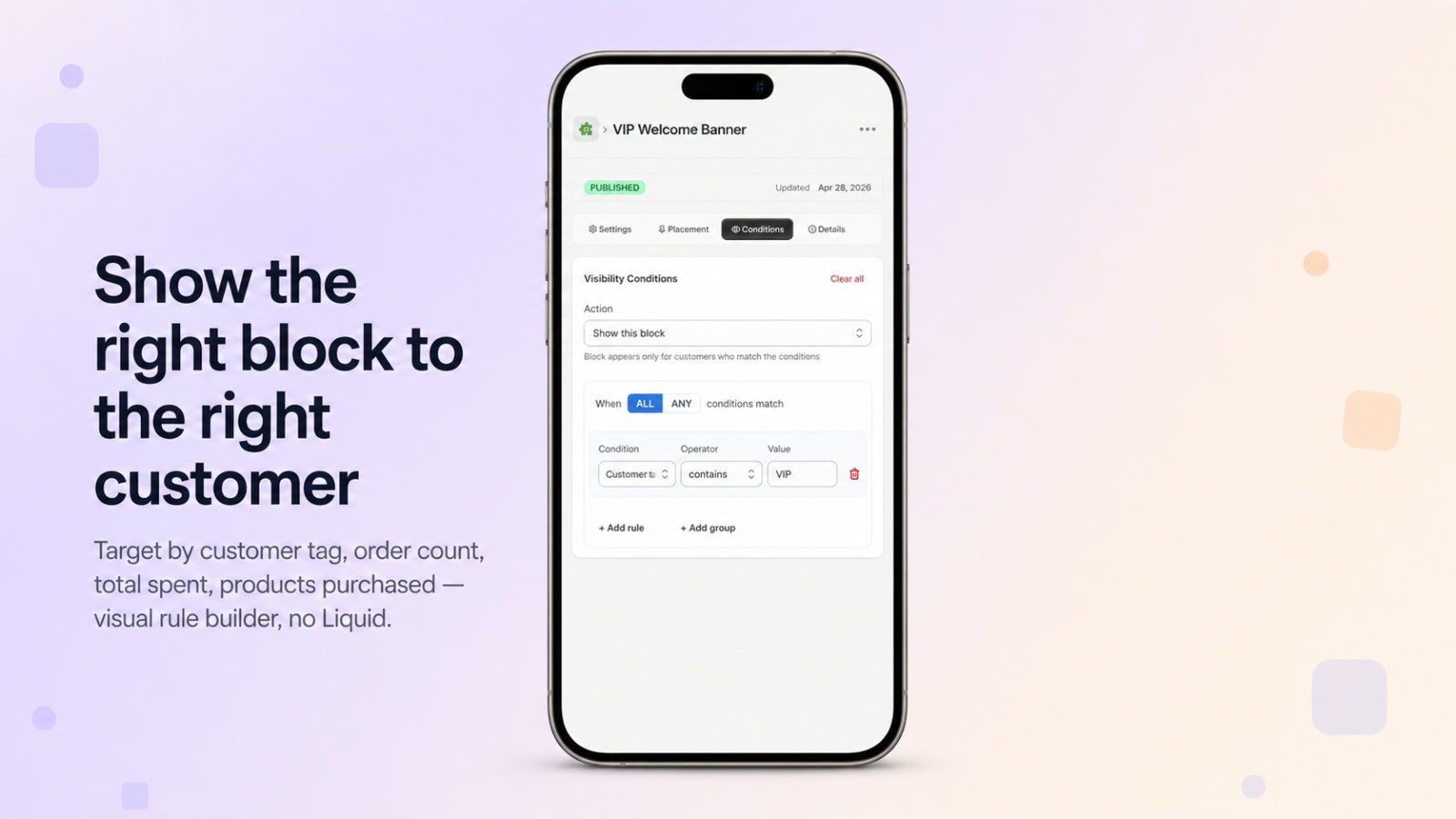
Place blocks on order list, order detail, and profile pages — no theme editsTarget by customer tags, spend, order count, country, B2B company, and moreMix rich text, images, buttons, links, and tile grids in any blockRoll back any block to a previous version with full edit historyDraft, publish, reorder, and roll back with built-in version historyAdd app blocks to extend customer account pages with custom contentShow or hide blocks based on customer and order conditionsPlace blocks across account pages like orders and profile sectionsManage, publish, and reorder blocks from a single dashboard

Detected May 13, 2026

Integrations updated

Integrations

Integrations updated

Shopify Admin

App-store listing

About Customer Account Blocks

Customize customer account pages with dynamic blocks. Show content based on conditions.

Turn Shopify customer accounts into a personalised retention and support hub. Add targeted account blocks for offers, FAQs, reorder CTAs, VIP messages, B2B/wholesale notices, and support links. Show the right content by customer tag, spend, order count, country, B2B company, or order status. No code or theme edits.

Listing highlights

  • Add app blocks to extend customer account pages with custom content
  • Show or hide blocks based on customer and order conditions
  • Place blocks across account pages like orders and profile sections
  • Manage, publish, and reorder blocks from a single dashboard

Methodology

How to read these signals

Counts are based on Shoplist's latest available public crawl signal dated June 4, 2026.

Shoplist has not yet found reliable public storefront evidence connecting a Shopify store to this app. This does not mean the app has no users. Some apps are new, admin-only, server-side, theme-independent, or otherwise difficult to detect from public storefront signals.

Merchant rows are filtered to public brand profiles with enough public data to link safely. Full workflow, filtering, and monitoring stay behind signup.

Review, pricing, feature, screenshot, and listing-change data come from public Shopify App Store and Shoplist crawl records. Signals can change between crawls.

FAQ

Questions about Customer Account Blocks

Has Shoplist detected stores using Customer Account Blocks yet?

Shoplist has not yet found reliable public storefront evidence for Customer Account Blocks. The page tracks first merchant evidence as it appears.

What does first-adopter watch mean?

It means Shoplist is monitoring launch context, first storefront-detectable merchant evidence, reviews, pricing, and listing changes.

Can I get alerts when stores start using Customer Account Blocks?

Yes. Create a watchlist to get alerted when Shoplist finds public merchant evidence for Customer Account Blocks.

Keep watching Customer Account Blocks

Turn this public profile into a monitored app workflow for first detections, reviews, pricing, related apps, and listing-change history.

Get alerted when stores start using Customer Account Blocks