Skip to content
Steady: Sales Countdown Timer logo

Steady: Sales Countdown Timer Shopify App: Pricing, Features & First-Adopter Watch

Countdown timerBy operixLaunched September 9, 2026Updated October 23, 2026

Steady: Sales Countdown Timer launched on September 9, 2026. Shoplist is watching for its first storefront installs and tracking pricing and listing changes in the meantime.

Key signals for Steady: Sales Countdown Timer

Launched
Sep 9, 2026
Pricing
Free planPaid from $7/month
Storefront installs
None yetWatching since its Sep 9, 2026 launch

Data checked October 26, 2026Listing checked todayHow Shoplist knows

Steady: Sales Countdown Timer pricing

Free
  • A storewide bar in the page flow
  • Fixed, per-visitor and daily timers
  • One live countdown, free forever
  • Product pages and landing pages
Free
$7 a month
  • Bars that stay in view, top or bottom
  • Run several countdowns at once
  • Timers that start at the cart
$7/month

Recent Steady: Sales Countdown Timer activity

Store movement comes from Sonar's storefront scans; listing changes come from the Shopify App Store page.

App Store listing

Listing changes

6 updates

Detected Oct 23, 2026

Plan features updated

Pricing

$7 a month plan features updated

14-day free trial

Detected Oct 20, 2026

Listing title changed +6 more

Positioning

Listing title changed

One end time, in your store's timezone. Your pages show it on their own, with nothing to break.Countdown timers for sales, launches and daily cut-offs, as a block or a bar across your store.

Description rewritten

Description rewritten

Callouts updated

A block, or a top or bottom bar; a bar that stays in view makes room for menus.A block in a section, or a top bar that pushes the page down. Never over a menu.

+4 more changes in this update

Detected Oct 19, 2026

Description rewritten +4 more

Positioning

Description rewritten

Description rewritten

Integrations updated

Shopify Admin

Callouts updated

Or per visitor: from first view, or from the first time they open their cart.A block in a section, or a top bar that pushes the page down. Never over a menu.Or a per-visitor timer: each shopper gets the same time from their first view.A block inside your section, not a bar over your page. It cannot cover a menu.

+2 more changes in this update

Detected Oct 21, 2026

Description rewritten

Positioning

Description rewritten

Pick the moment your sale ends and Steady counts down to it — the same moment fo … er their own time. A block in a section, or a bar across your store: at the top it the bar pushes the page down; on the paid plan it the bar can stay in view at the top or bottom, making room for your theme's sticky heade … an close it. It never touches your theme's code, so removing the app removes it.

Detected Oct 16, 2026

Callouts updated +1 more

Positioning

Callouts updated

Three styles, a one-line bar, your choice of font; gone when you remove the app.Three styles, a one-line bar layout; gone completely when you remove the app.

Feature list updated

Color and font

Get Steady: Sales Countdown Timer's weekly changes by email

New stores, departures, and listing edits, once a week. No account needed.

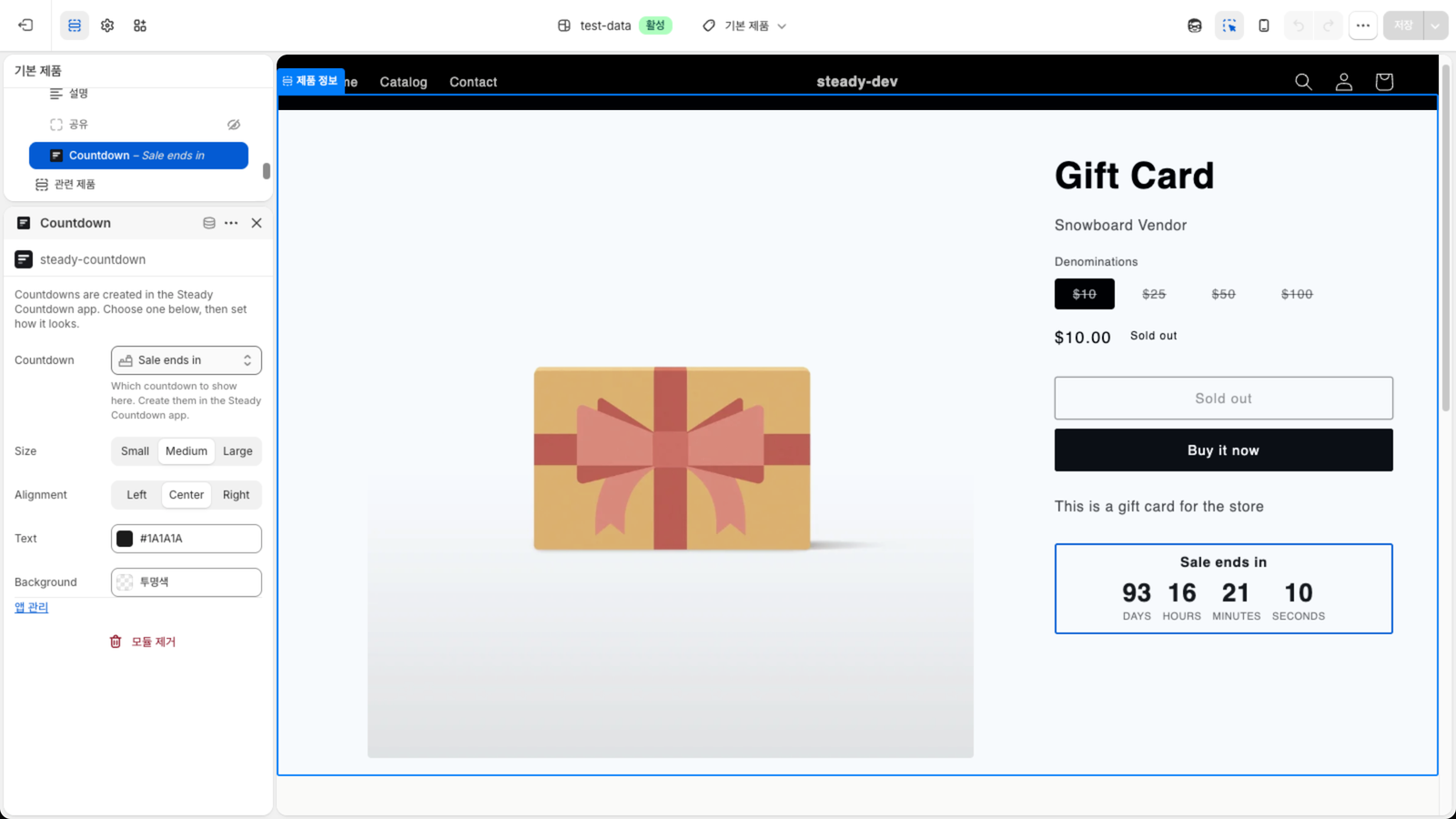
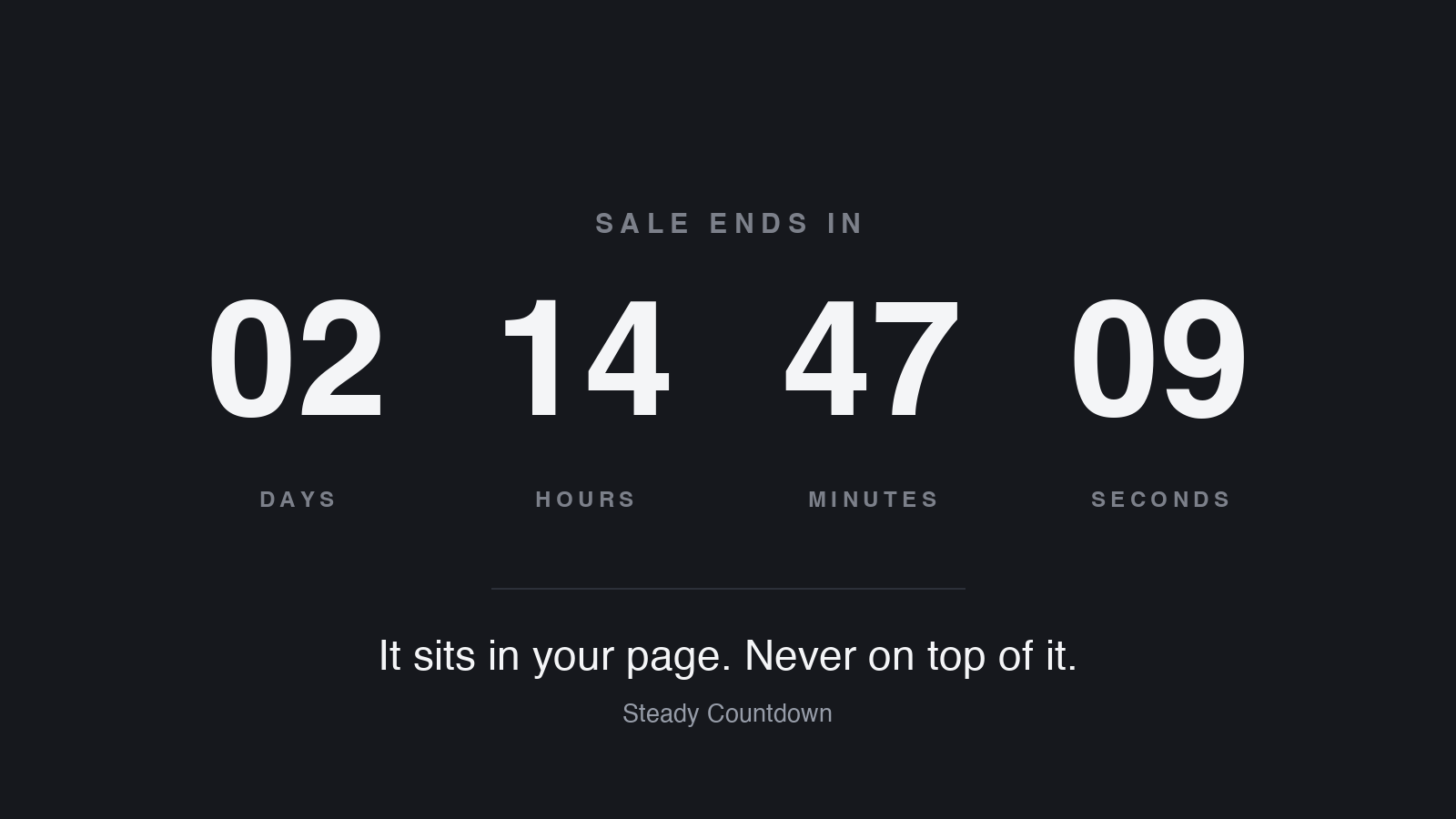
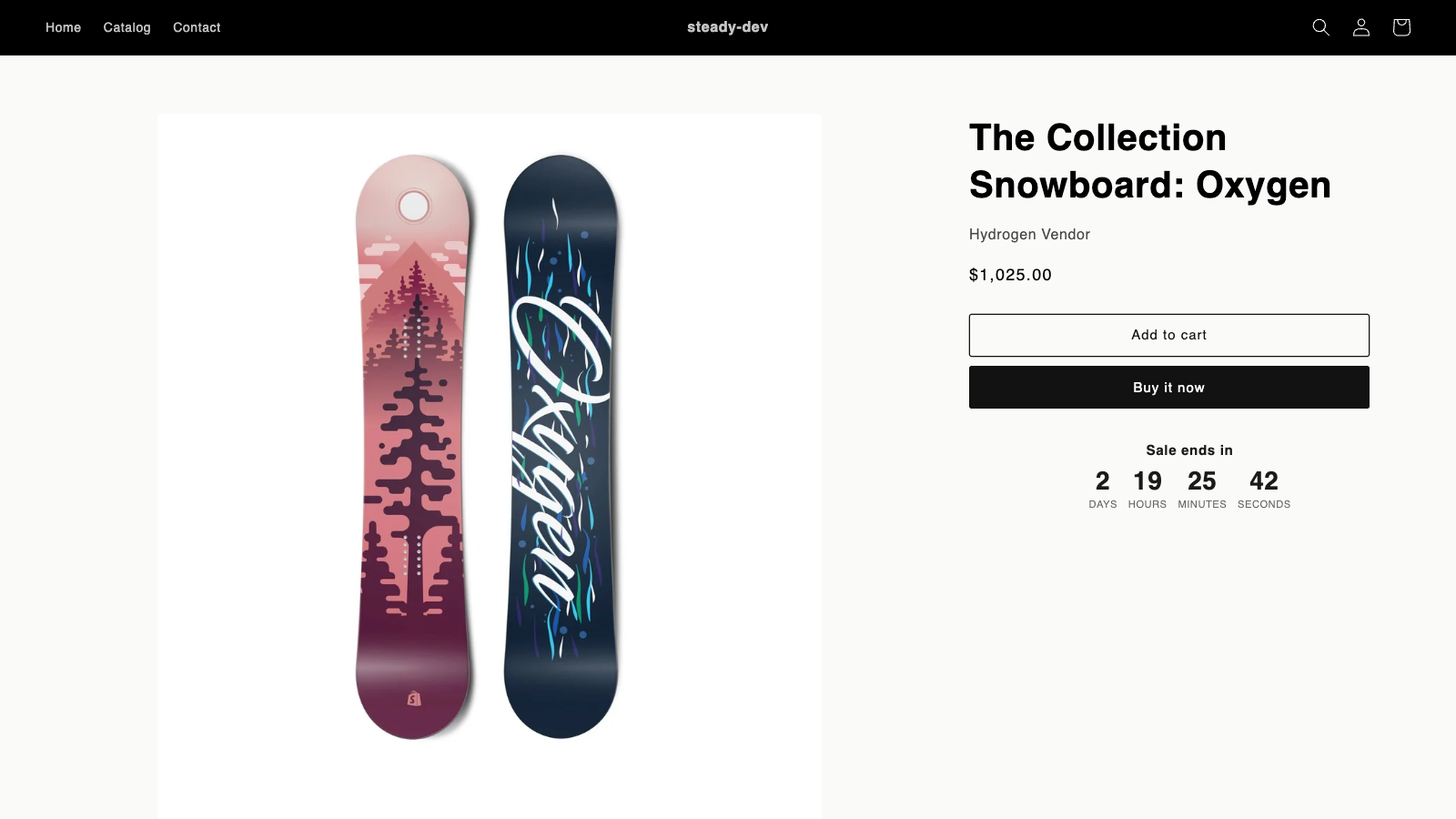
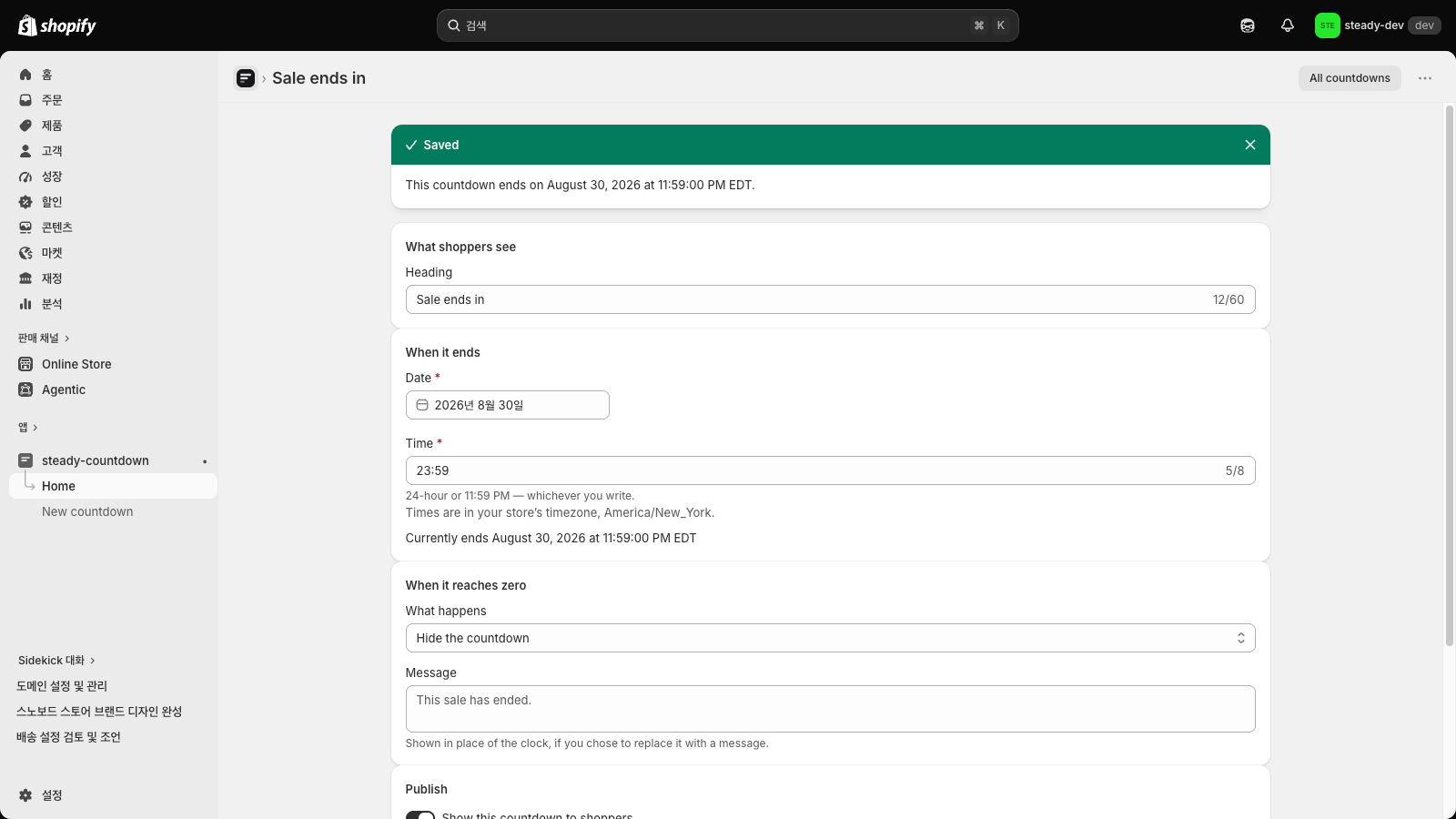
Steady: Sales Countdown Timer screenshots and video

About Steady: Sales Countdown Timer

Countdown timers for sales, launches and daily cut-offs, as a block or a bar across your store.

Pick the moment your sale ends and Steady counts down to it — the same moment for every shopper, in your store's timezone. Or schedule a start, or give each shopper their own time. A block in a section, or a bar across your store: at the top the bar pushes the page down; on the paid plan the bar can stay in view at the top or bottom, making room for your theme's sticky header and bottom buy button, and shoppers can close it. It never touches your theme's code, so removing the app removes it.

Listing highlights

  • One real deadline. The same end time for every shopper, no per-visitor resets.
  • A block inside your section, not a bar over your page. It cannot cover a menu.
  • Set it in your store's timezone and read the exact moment back before saving.
  • Already on the page when it opens, and gone completely when you remove the app.
  • Choose what happens at zero: hide it, show a message, or hold the clock at zero.

Features

Timer type

  • Flash sales
  • Time-limited promotion

Timing options

  • Fixed end date
  • One-time

Display options

  • Color and font
  • Custom text

How Shoplist knows

Every number on this page comes from public storefront scans and the public Shopify App Store listing. If Shoplist shows Steady: Sales Countdown Timer on a store, it is there.

Read the data methodology
  • Counts are based on Shoplist's latest available public crawl signal dated October 23, 2026.
  • Shoplist has not yet found reliable public storefront evidence connecting a Shopify store to this app. This does not mean the app has no users. Some apps are new, admin-only, server-side, theme-independent, or otherwise difficult to detect from public storefront signals.
  • Merchant rows are filtered to public brand profiles with enough public data to link safely. Full workflow, filtering, and monitoring stay behind signup.
  • Review, pricing, feature, screenshot, and listing-change data come from public Shopify App Store and Shoplist crawl records. Signals can change between crawls.

Questions about Steady: Sales Countdown Timer

Has Shoplist detected stores using Steady: Sales Countdown Timer yet?
Shoplist has not yet found reliable public storefront evidence for Steady: Sales Countdown Timer. The page tracks first merchant evidence as it appears.
What does first-adopter watch mean?
It means Shoplist is monitoring launch context, first storefront-detectable merchant evidence, pricing, and listing changes.
Can I get alerts when stores start using Steady: Sales Countdown Timer?
Yes. Create a watchlist to get alerted when Shoplist finds public merchant evidence for Steady: Sales Countdown Timer.

Keep exploring

Keep watching Steady: Sales Countdown Timer.

Get alerted on first storefront installs, review spikes, pricing changes, and listing edits.