Checkmate ‑ checkout validator logo

Checkmate ‑ checkout validator Shopify App: Pricing & Storefront Detection Notes

Order limits

Updated February 19, 2026

By Smith Street Lab LLC

Shoplist has not found reliable public storefront evidence for Checkmate ‑ checkout validator. Track pricing, listing changes, and developer context and first

Shoplist public signals

What is visible for Checkmate ‑ checkout validator right now

Signal date February 19, 2026

Last listing check today

Monitoring status

Storefront detection limited

Tracking non-storefront public signals

As of Feb 19, 2026

Momentum

0 No signal

Install volume is too low for a reliable trend yet

As of Jul 15, 2026

No signal0% data confidence

0 momentum score

Install volume is too low for a reliable trend yet.

Updated Jul 15, 2026

0 installs

Momentum inputs

28d installs

0

Prev. 28d

0

New 28d

0

30d reviews

0

Trend comparison is paused or unavailable for this window. The raw inputs show the install and review signals Shoplist observed instead.

Installs
0
Growth
50
Adoption
0
Reviews
0
Fit
86

Quick answer

Shoplist has not found reliable public storefront evidence for Checkmate ‑ checkout validator. This may happen when an app is admin-only, server-side, or not visibly embedded on storefronts. Shoplist still tracks pricing, developer data, related apps.

Pricing

Pricing and plan posture

Free

$0
  • Limited checkout validation Rules
  • Mix and match multiple conditions
  • Target all markets
  • Validate discounts

Basic

$3.99
  • Mix and match multiple conditions
  • Target specific markets
  • Validate cart items
  • Validate shipping address

Shopify

$4.99
  • Mix and match multiple conditions
  • Target specific markets
  • Validate cart items
  • Validate shipping address

Advanced

$5.99
  • Mix and match multiple conditions
  • Target specific markets
  • Validate cart items
  • Validate shipping address

App-store listing

About Checkmate ‑ checkout validator

Checkmate helps you craft regulations guaranteeing every purchase aligns with your specifications

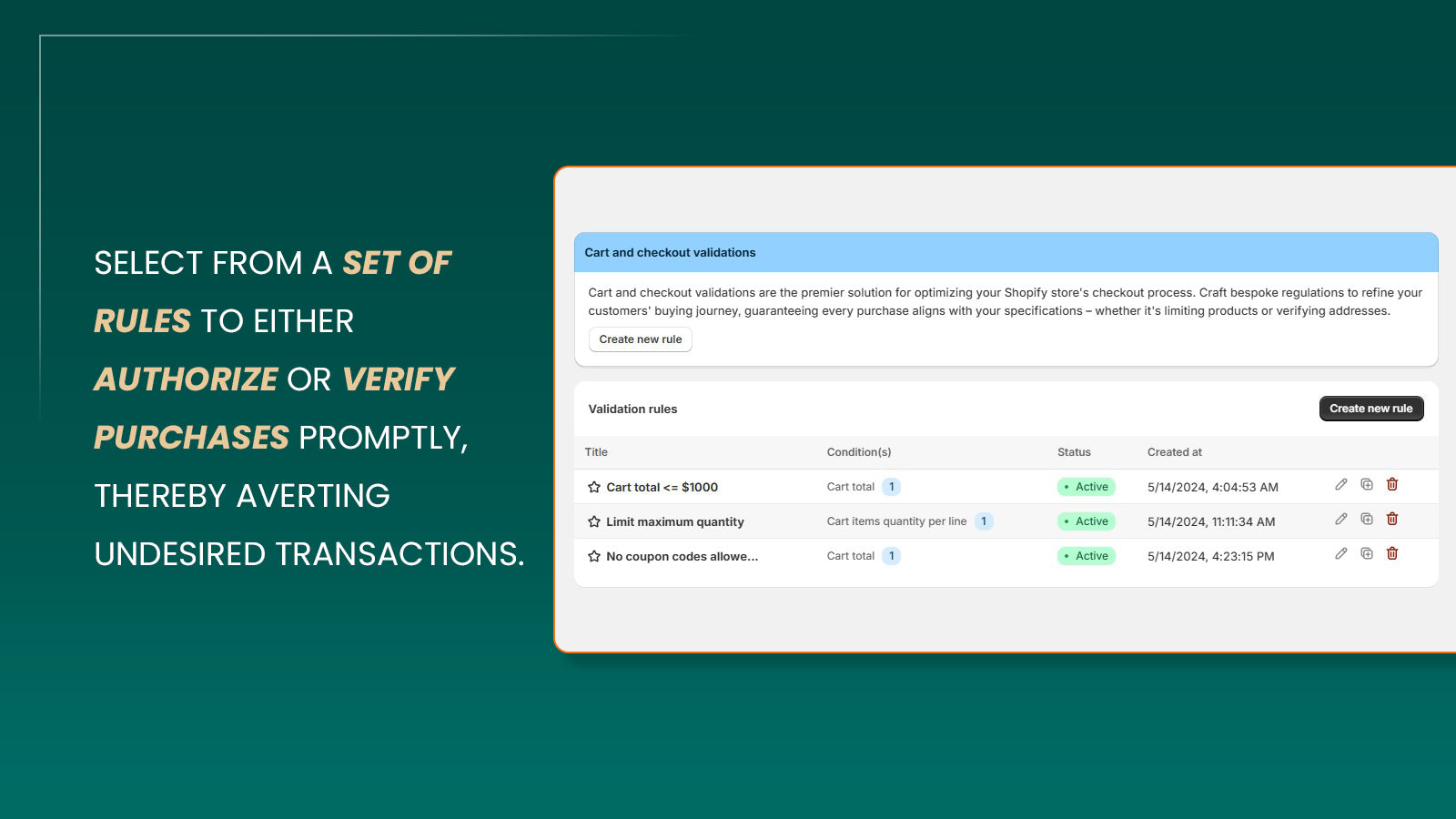
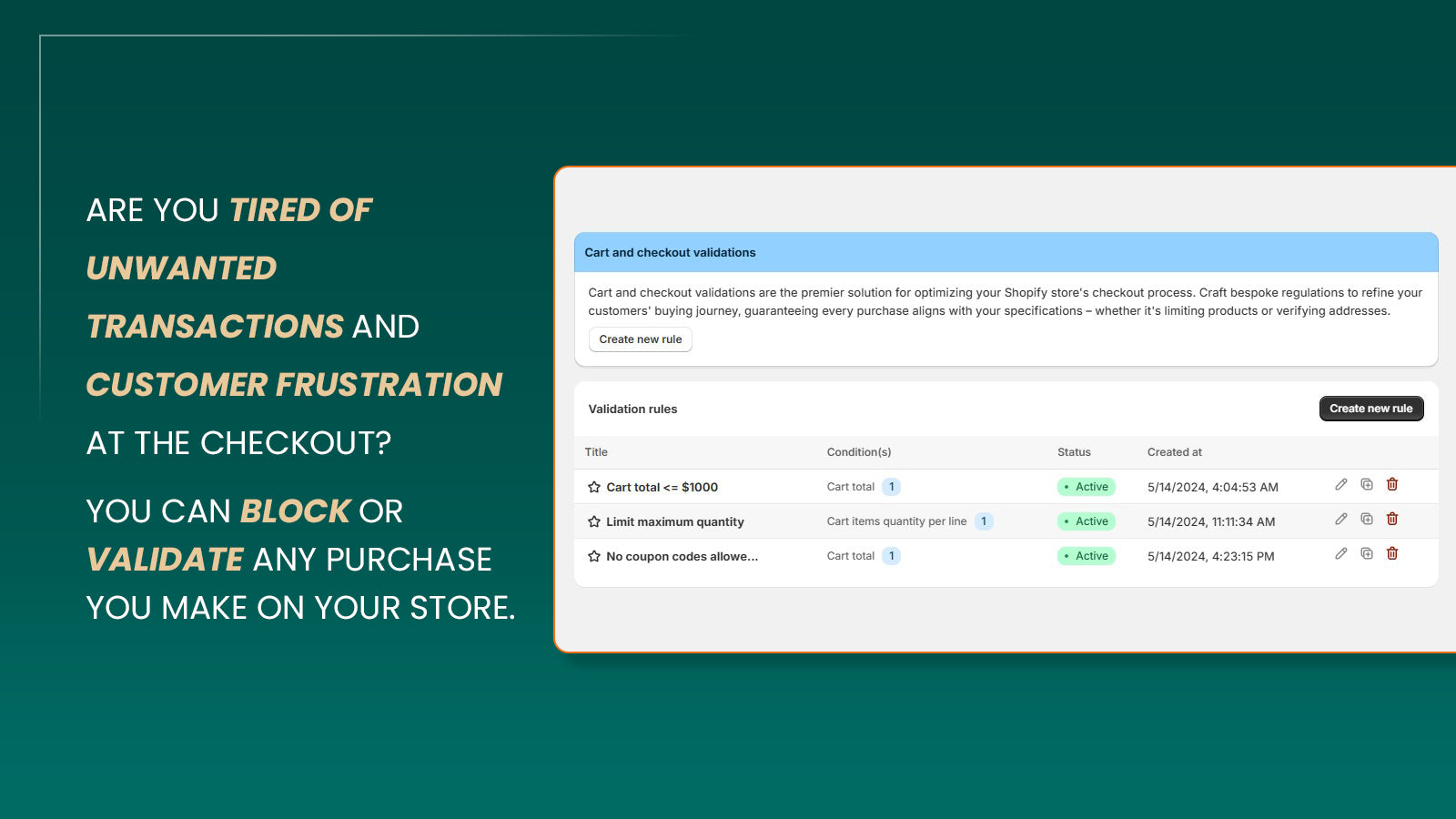
Checkmate Pro allows stores to set conditions for cart and checkout validations without having to use any custom code. Using Checkmate Pro, Shopify stores can set maximum discount values, limit quantities per cart, set custom error messages and much more. Checkmate Pro has a variety of conditions that can be used to validate your cart and checkout requirements in a plug-and-play, no-code, easy to use application.

Listing highlights

  • Restrict purchases based on cart total or quantity or 20+ other conditions
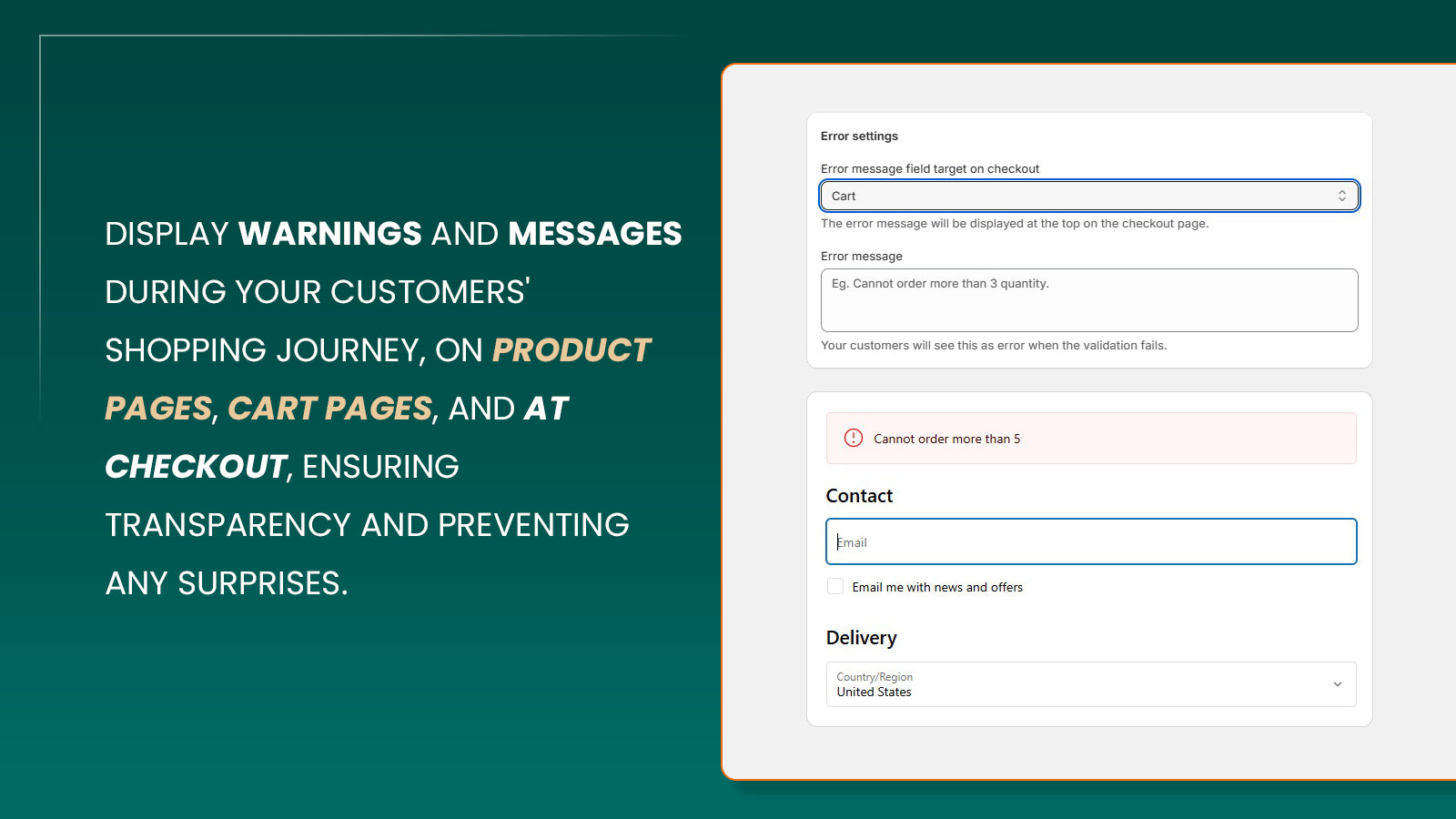
  • Display clear error messages when the validations fails so customers are aware
  • Protection from fraudulent orders and transactions with transparency
  • No coding required, just plug and play support for all rules.
  • Multiple rules can work together opening up countless possibilities

Features

Limit rules

Cart-based
Collection-specific
Customer tags
Discount-based
Geolocation
Max quantity
Min quantity
Show more
Payment methods
Price-based
Product-specific
Purchase frequency
Shipping methods
Time-based
Variant-specific
Weight-based

Notification settings

Cart alerts
Checkout alerts
Custom branding
Custom messages
Multi-language
Pop-ups
Product page alerts
Show more
Translation

Methodology

How to read these signals

Counts are based on Shoplist's latest available public crawl signal dated February 19, 2026.

Shoplist has not yet found reliable public storefront evidence connecting a Shopify store to this app. This does not mean the app has no users. Some apps are new, admin-only, server-side, theme-independent, or otherwise difficult to detect from public storefront signals.

Merchant rows are filtered to public brand profiles with enough public data to link safely. Full workflow, filtering, and monitoring stay behind signup.

Review, pricing, feature, screenshot, and listing-change data come from public Shopify App Store and Shoplist crawl records. Signals can change between crawls.

FAQ

Questions about Checkmate ‑ checkout validator

Why might Shoplist not show detected stores for Checkmate ‑ checkout validator?

Some Shopify apps are admin-only, server-side, theme-independent, or otherwise difficult to detect from public storefront signals.

Does no public detection mean Checkmate ‑ checkout validator has no users?

No. It only means Shoplist has not found reliable public storefront evidence for Checkmate ‑ checkout validator. pricing and developer data can still be useful signals.

Can I monitor future public detections?

Yes. Shoplist can monitor Checkmate ‑ checkout validator for future public storefront detections and listing movement.

Keep watching Checkmate ‑ checkout validator

Turn this public profile into a monitored app workflow for first detections, reviews, pricing, related apps, and listing-change history.

Monitor Checkmate ‑ checkout validator listing and first detections